Unlocking Worlds: Your Ultimate Guide to Free Reading Apps for Adults
Unlocking Worlds: Your Ultimate Guide to Free Reading Apps for Adults
As an avid reader, I'm constantly on the hunt for new stories, compelling non-fiction, and classic literature that won't break the bank. Let's be real, book buying can get expensive pretty quickly, can't it? That's why I'm always excited to talk about something incredibly powerful that's often right at our fingertips: free reading apps. These aren't just for students or kids; they're absolute game-changers for adults who want to read more, explore diverse genres, and access a world of knowledge without spending a dime. I mean, who doesn't love free books?
We're living in a golden age of digital access, and thanks to some really smart developers and institutions, you've got tons of options. Whether you're into historical fiction, gripping thrillers, heartwarming romance, or expanding your professional skills, there's likely a free app that'll hook you up with exactly what you need. It's all about knowing where to look, and I'm here to show you just that.
Why Embrace Free Reading Apps?
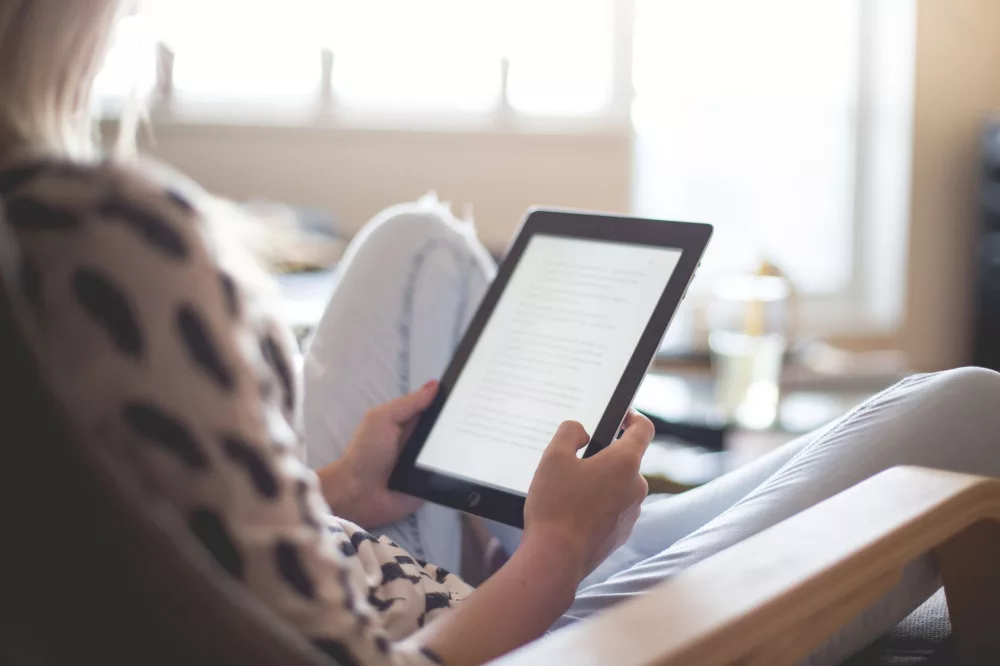
Before we dive into the specific apps, let's chat about why these digital libraries are such a big deal for us grown-ups. For one, the cost savings are huge. You can maintain a vibrant reading habit without budgeting for new releases every month. Think of the money you'll save! Beyond that, it's about accessibility and convenience. We carry our phones and tablets everywhere, making it super easy to pick up a book during a commute, in a waiting room, or while winding down before bed. You're not restricted by library hours or physical space on your bookshelf either; your entire library fits in your pocket.
- Cost-Effectiveness: Read to your heart's content without financial strain.
- Portability: Your whole library travels with you, anywhere.
- Accessibility: Often includes features like adjustable font sizes, dark mode, and text-to-speech for various needs.
- Discovery: A fantastic way to explore new authors and genres you might not risk buying.
- Environmental Impact: Less paper, fewer resources used, which is something I always appreciate.
It's truly impressive how these apps have democratized reading. They've made it possible for virtually anyone with a smartphone or tablet to access an incredible amount of literature.
My Top Picks for Free Reading Apps
Okay, let's get into the nitty-gritty. I've used quite a few of these myself, and I can tell you which ones really stand out.
1. Libby by OverDrive
If you have a public library card, you absolutely, positively need Libby. This app is a gem! It connects you directly to your local library's digital collection, letting you borrow ebooks and audiobooks for free. It’s exactly like checking out a physical book, but it's all digital, meaning no late fees. The user interface is clean, intuitive, and frankly, a pleasure to use. I've found so many new authors through Libby, and it's become my go-to for contemporary bestsellers and even popular magazines. You just sign in with your library card details, and you're good to go.
2. Project Gutenberg
Ah, Project Gutenberg – the original digital library! This isn't strictly an app itself, but its entire collection of over 60,000 free ebooks consists of public domain works. Think classic literature: Jane Austen, Charles Dickens, Mark Twain, and countless others. You can download these books in various formats (EPUB, Kindle, plain text) and read them on almost any e-reader app you prefer. Many apps even integrate directly with Project Gutenberg's catalog. It's an incredible resource if you're looking to explore the foundational texts of literature. I frequently browse their site when I'm in the mood for something timeless.
3. Open Library (Archive.org)
Similar to Libby, Open Library, which is a project of the Internet Archive, lets you borrow digitized versions of physical books. They've got millions of titles, including many that aren't yet in the public domain but are available for short-term digital loans. You essentially 'check out' a digital copy for a period, just like a traditional library. I find their collection to be incredibly vast, covering everything from academic texts to popular fiction. It’s a wonderful complement to Libby, offering even more access to a broader range of titles.
4. Google Play Books
Many people associate Google Play Books with paid purchases, but it actually offers a substantial collection of free books too. You'll find a lot of public domain works here, often in well-formatted editions. Plus, it frequently has promotions and free samples of newer titles. The app itself is robust, offering customizable reading settings like fonts, line spacing, and themes. You can even upload your own EPUB and PDF files to read within the app, making it a versatile choice for consolidating your digital reading. I often use it for quick reads or when I'm checking out a classic.
5. Amazon Kindle App
You might associate Kindle with buying books, but the Kindle app is surprisingly useful for free reading. Firstly, it offers access to thousands of public domain classics at no charge. Secondly, Amazon frequently runs promotions where certain ebooks are temporarily free. If you keep an eye out, you can snag some great deals. And of course, if you have any Kindle books you've bought, this is where you'll read them. It also supports sending documents to your Kindle library, which is handy for personal files. I find the reading experience on the Kindle app to be extremely comfortable, with lots of personalization options.
6. Aldiko Book Reader
Aldiko is a bit different from the others; it's less about providing a library of free books directly and more about being an excellent reader for books you acquire elsewhere. It supports EPUB, PDF, and comic book formats, making it incredibly versatile. If you're downloading free ebooks from sites like Project Gutenberg, Open Library, or even independent authors, Aldiko is a fantastic app for organizing and reading them. It has a customizable interface, night mode, and a really good library management system. For those who like to curate their own collection of free content, I think it's an indispensable tool.
Getting the Most Out of Your Free Reading Journey
Finding the apps is just the first step! To really maximize your free reading experience, I'd suggest a few things:
- Get Multiple Library Cards: If you live in an area with reciprocal library agreements, you might be able to get cards from neighboring counties or cities, expanding your Libby access. It's a clever hack, believe me.
- Explore Public Domain Catalogs: Beyond Project Gutenberg, look for sites like Standard Ebooks, which offers beautifully formatted versions of classics.
- Set Up Reading Time: Even with free access, consistency is key. Schedule a little time each day to escape into your chosen book.
- Utilize Wi-Fi: Download your books and audiobooks over Wi-Fi to save mobile data. Most apps offer offline reading, which is incredibly convenient.
- Experiment with Settings: Adjust font size, background color, line spacing, and brightness to find what's most comfortable for your eyes. Our eyes get tired, especially after a long day!
Ultimately, the world of free reading apps for adults is vast and incredibly rewarding. It means you don't have to limit your reading based on your budget. You've got an entire universe of stories and information waiting for you, completely free. So go ahead, download one (or all!) of these apps, grab your favorite beverage, and get ready to dive into your next great read. Happy reading, everyone!
About Editorial Team
Senior columnist and culture critic specializing in architectural designs, emerging high-growth systems, and contemporary philosophies.
Contact Desk
Have an editorial inquiry or custom partnership idea? Reach our team directly.